

Inviting External Guests to git.nrw
On this page
Inviting external guests to git.nrw allows authorised users to grant access to individuals outside the participating North Rhine-Westphalian universities for collaborative work. Guests receive an invitation email, create a git.nrw account, and can then be assigned to projects/groups with specific roles. Once assigned, they can access and collaborate on the shared repositories.
External guests can be invited via the following link: https://guest.git.nrw
1. Entering email address
Enter the email address of the person you wish to invite, then click the “Invite” button to send the invitation.
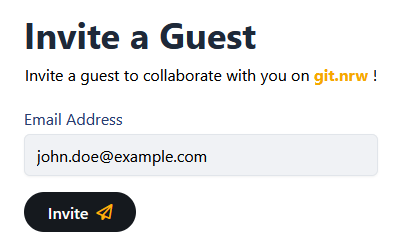
If the system detects a participating NRW university email address, it will indicate that the user can register themselves using their NRW university account.
2. Checking invitation status
After sending the invitation, all external users you have invited are displayed on the overview page, where you can see whether the invitation has already been accepted or is still pending.
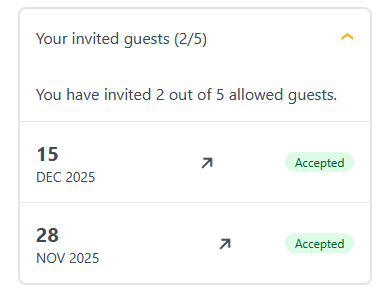
Currently, a maximum of five people can be invited per inviting user. If it is necessary to invite more people, a request can be sent via the Support Form .
3. Assign projects, groups and roles
Once the invitation has been accepted and a user account has been created on git.nrw , you can assign the external person to the projects and groups in to which they should have access. You can do that in the members section of either your group or project:

External users can be assigned different roles in git.nrw. Optionally, a time-limited access period can also be specified.
Guests are not allowed to get the owner role for a project or group.
4. Accessing git.nrw system
After the user account has been successfully added, the external user can access the git.nrw projects/groups that have been granted to them and work within them.